

SCRplay Withdraw – How to Cash Out Your Winnings | Payout Guide
The SCRplay withdraw system is built around one priority: getting Malaysian players their money quickly and without unnecessary complications. Most verified withdrawal requests are processed within 15 to 30 minutes, and funds land directly in your Malaysian bank account or e-wallet.
This page explains the full withdrawal process from start to finish, covers every supported payout method, explains the conditions you need to meet before withdrawing, and addresses the most common issues players encounter when cashing out.

Before You Withdraw What You Need to Have Ready
Three conditions must be met before a SCRplay withdrawal can be processed successfully. Understanding these upfront saves time and avoids rejected requests.
1. Verified Account
Your SCRplay account must be fully verified before any withdrawal is approved. Verification means your registered name, your bank account name, and your identity documents all match. If you signed up with a nickname or a name that does not match your bank, you will need to correct this through the support team before withdrawals are possible.
If you have not yet added your bank account details to your profile, do so now: go to Account Settings, select Payment Details, and enter your bank name and account number.
2. Completed Bonus Turnover (If Applicable)
If you accepted a welcome bonus, free credit no deposit offer, reload bonus, or any other promotion, you must complete the required turnover before your balance becomes withdrawable.
Turnover means you need to wager a multiple of the bonus amount (as specified in the promotion terms) before the winnings from that bonus can be converted to real, withdrawable funds. The turnover requirement and your progress toward it are visible in the Promotions section of your account.
This is standard practice across all online casinos and is not unique to SCRplay online. The key is to read the promotion terms before claiming any bonus so you know exactly what is required.
If you deposited your own funds without claiming any bonus, there is no turnover requirement and you can withdraw any time.
3. Balance in Main Wallet
Winnings from slot games, live casino tables, and other games accumulate in individual Game Wallets. Before you can submit a withdrawal, you need to transfer your balance back to the Main Wallet using the Wallet Transfer function in your dashboard.
How to Withdraw from SCRplay
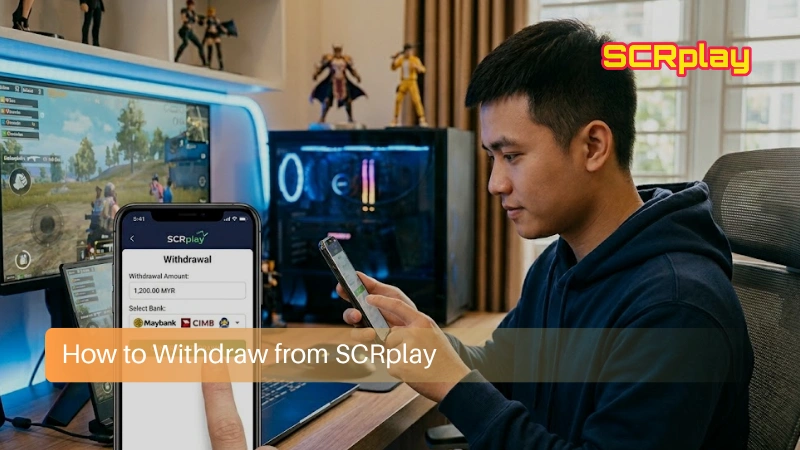
Step 1 – Transfer Your Balance to Main Wallet
From your account dashboard, go to Wallet Transfer. Select the Game Wallet containing your winnings as the source and your Main Wallet as the destination. Enter the amount and confirm.
Step 2 – Go to the Withdrawal Page
Click on “Withdraw” in your account menu or navigate to the Wallet section and select Withdrawal.
Step 3 – Select Your Withdrawal Method
Choose the payment method you want to receive funds through. Options include bank transfer (FPX/IBG), e-wallets (Touch ‘n Go, Boost, DuitNow), or cryptocurrency. Select the method that matches your verified payment account.
Step 4 – Enter Withdrawal Details
Fill in the required fields:
- Bank name or e-wallet provider
- Account number or e-wallet registered ID
- Amount to withdraw
Double-check every detail before submitting. Withdrawals sent to incorrect account numbers cannot be reversed easily and may result in delays.
Step 5 – Submit the Request
Click “Submit” or “Confirm.” Your withdrawal request is queued for processing. You can track its status in the Transaction History section of your account.
Step 6 – Receive Your Funds
Most requests are processed by SCRplay within 15 to 30 minutes. After SCRplay releases the funds, the time it takes to reach your bank account depends on your bank’s internal processing. Most banks reflect the transfer immediately, but some IBG (Interbank GIRO) transfers may take up to a few hours during off-peak times.
Supported Withdrawal Methods
Bank Transfer (FPX / IBG)
The most commonly used withdrawal method for Malaysian players. Supported banks include Maybank, CIMB, Public Bank, RHB, Hong Leong, AmBank, Bank Islam, Bank Rakyat, BSN, and most other local banks. Transfers are typically completed within 15 to 30 minutes during business hours.
Touch ‘n Go (TNG)
Withdrawals to your TNG e-wallet are fast and widely used by Malaysian players. Funds appear in your TNG balance quickly after processing, and you can use them for everyday payments immediately.
Boost
Boost wallet withdrawals are processed at the same speed as bank transfers. Once the funds are in your Boost wallet, they can be used for purchases, transfers, or further top-ups.
DuitNow
Withdraw directly to your registered DuitNow ID (your phone number or IC number). Funds are transferred to your linked bank account through the DuitNow network.
Cryptocurrency
Available for players who deposited via crypto. Withdrawals are processed at the current exchange rate. Network confirmation times apply depending on the cryptocurrency used. Contact Live Chat for the current supported crypto withdrawal process.
SCRplay Withdrawal Rules
Name matching is non-negotiable
The account you withdraw to must be registered under the same name as your SCRplay account. A mismatch — even a small one — will result in the withdrawal being rejected. This is a standard anti-fraud requirement and cannot be bypassed. If your registered name does not match, contact support before submitting a withdrawal to resolve the discrepancy.
Minimum withdrawal amount
The minimum withdrawal on SCRplay is typically RM50. This may vary slightly depending on the payment method. Check the Withdrawal page for current minimums.
One verified withdrawal account per player
You cannot cycle through multiple bank accounts or e-wallets for withdrawals. Your withdrawal destination must remain consistent with your verified payment account. If you need to update your withdrawal account, contact support and provide the required documentation.
No third-party withdrawals
Funds can only be withdrawn to accounts in your own name. Requesting a withdrawal to a family member’s, friend’s, or any other person’s account is not permitted and will be rejected.
No withdrawal fee from SCRplay
SCRplay does not deduct fees on your end for processing withdrawals. Your bank may charge a standard interbank transfer fee on their end, but this is outside SCRplay’s control.
Withdrawal Timing: Real-World Expectations
SCRplay’s internal processing target is 15 to 30 minutes per request. In practice, the vast majority of withdrawals for verified accounts with no pending bonus turnover are processed within this window.
Factors that may slow processing down:
- High traffic periods: late evenings and weekends see higher withdrawal volumes
- Bank maintenance hours: some banks undergo brief maintenance windows between midnight and 6:00 AM
- First-time withdrawal: your first withdrawal may go through an additional verification step before being approved. This is normal and typically takes no longer than 30 minutes.
- Unverified account: if your account is not fully verified, the withdrawal will be held until verification is completed
For the fastest results, submit withdrawals during standard business hours and ensure your account is fully verified before requesting a payout.
What to Do If Your Withdrawal Is Delayed
If your withdrawal is still showing as “pending” after 1 hour, here is what to check and do:
Check your bonus status first. Go to the Promotions section and confirm whether you have an active bonus with an outstanding turnover requirement. This is the most common reason withdrawals are held up.
Confirm your bank details are correct. Review the account number you submitted in your withdrawal request. An incorrect digit causes the transfer to fail.
Contact Live Chat with your withdrawal reference number. The reference number is visible in your Transaction History. Provide it to the support agent along with the amount, the method, and the date and time you submitted the request. The team can check the payment status immediately and escalate if needed.
Do not submit a new withdrawal request while one is still pending. This adds confusion and slows resolution down.
Understanding Bonus Turnover Before Withdrawing
This section is worth understanding clearly because it is the area that causes the most confusion for new players.
When you claim a free credit no deposit bonus or a reload bonus, the promotion terms include a turnover multiplier for example, 10x, 20x, or 30x. This means if you claimed RM50 in free credit with a 20x turnover requirement, you need to place a total of RM1,000 in wagers before the winnings from that bonus become withdrawable.
The turnover applies to the bonus amount, not your total balance. Your own deposited funds (not part of any bonus) can generally be withdrawn at any time subject to minimum balance rules.
Track your turnover progress in the Promotions section. Once the requirement is met, the bonus is converted to real balance and your full wallet amount becomes available for withdrawal.
Players who find turnover requirements frustrating often do so because they did not read the promotion terms before claiming. Understanding the requirement before you start playing helps you plan your bet sizing and game choices to clear it efficiently.
READ MORE:
- SCRplay Deposit: How to Top Up Your Account Fast
- Free Credit 365 No Deposit – Instant Claim Steps for Malaysians
FAQs: SCRplay Withdraw
1. How long does a SCRplay withdrawal take?
15 to 30 minutes for most verified accounts with no pending bonus conditions.
2. What is the minimum withdrawal amount?
Generally RM50. Check the Withdrawal page for the current minimum per method.
3. Can I withdraw to Touch ‘n Go or Boost?
Yes. Both e-wallet withdrawal options are supported.
4. Why was my withdrawal rejected?
The most common reasons: name mismatch between account and bank, outstanding bonus turnover, incorrect bank account number entered, or balance still in a Game Wallet rather than Main Wallet.
5. Is there a maximum withdrawal limit per day?
Contact Live Chat for current daily withdrawal limit information as this may vary by account level and verification status.
6. My withdrawal was marked “completed” but I have not received the funds?
Wait up to 2 hours. Bank processing on the receiving end occasionally takes longer than expected. If funds still have not arrived, contact Live Chat with your withdrawal reference number and bank statement showing no credit.
7. Can I cancel a pending withdrawal?
If the request has not yet been processed, it may be possible to cancel it from the Transaction History page. If the status has already changed to “processing,” contact Live Chat immediately.
Conclusion
Cashing out from SCRplay is straightforward once the three core conditions are met: a verified account, completed bonus turnover if applicable, and your balance transferred to the Main Wallet. Most Malaysian players with fully verified accounts receive their withdrawals within 30 minutes on a typical day. Understanding how turnover requirements work before claiming any bonus is the single most effective way to avoid delays or confusion at the withdrawal stage.
SCRplay’s payout system is built around reliability and for players who follow the process correctly, it consistently delivers.


 Slots
Slots Live Casino
 SCRplay Fishing Game Review – Top Fish Table Games And Big Wins 2026
 Sports Betting
 SCRPlay E-Sports Betting | Online Casino Malaysia Free Credit
 SCRPlay Lottery: Complete Guide to Malaysia’s Premier Online Lottery Platform